






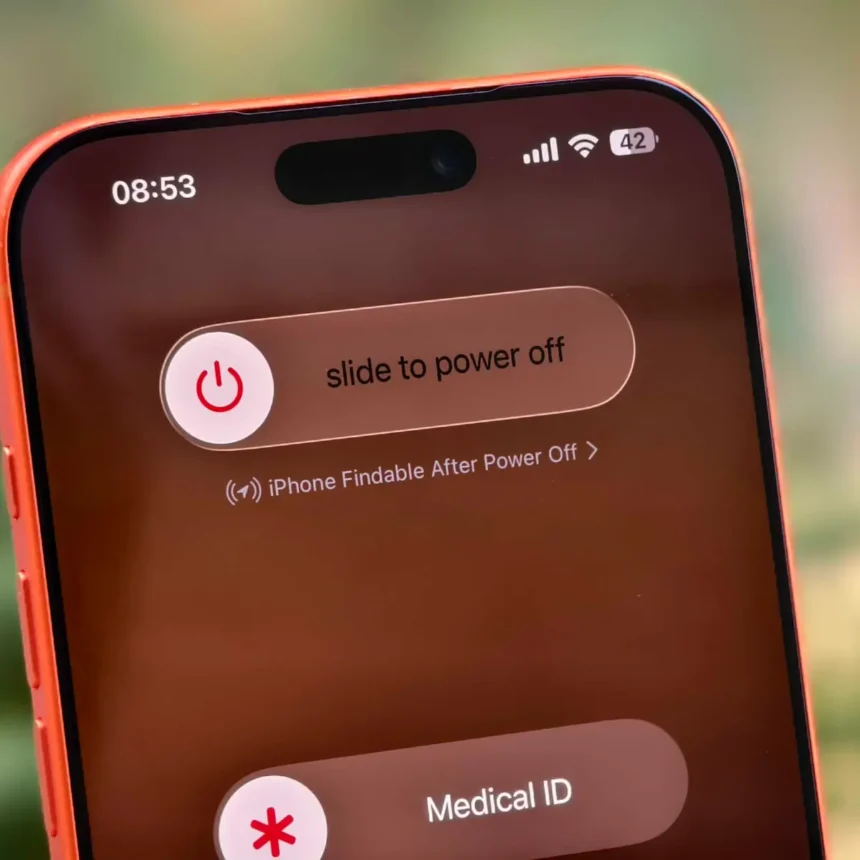
Losing your iPhone is stressful. It can feel even worse when you realize the battery may be dead or someone may have switched the phone off. You may instantly think about Find My Phone since that’s usually the quickest way to see where your iPhone was last detected.
But if the screen’s black and nothing’s turning on, can that feature even do anything? Does Find My iPhone work when your phone is off? Let’s find out.
How Does Find My iPhone Work When Phone Is Off?
When your iPhone powers off, it doesn’t fully shut down immediately. Instead, it slips into a sort of low-power resting state. In that state, a small chip keeps a Bluetooth signal quietly broadcasting, even though the rest of the phone is basically asleep.
That little Bluetooth signal is the whole trick. It doesn’t need cell service or Wi-Fi to work. It just needs to be picked up by another Apple device nearby. When some random stranger’s iPhone or iPad walks past yours, it notices that signal, encrypts the location info, and sends it up to Apple’s servers. It’s all anonymous and automatic in the background.


Once that location data reaches Apple, it shows up in your Find My app, so you can see where your phone last pinged from. On a supported iPhone, the Find My network can allow the device to be located for up to 24 hours after shutdown.
Which Settings Need to Be Enabled?
Powered-off tracking works best when you set it up before the phone is lost. Apple recommends enabling Find My iPhone, Find My network, and Send Last Location. Find My network helps locate the phone while it’s offline. Send Last Location sends its location when the battery becomes critically low.
Follow these steps to check the settings:
- Open Settings.
- Tap your name.
- Tap Find My.
- Select Find My iPhone.
- Turn on Find My iPhone, Find My network, and Send Last Location.
This takes about 30 seconds, and you’ll thank yourself later if your phone ever goes missing.
Do this while the phone is still with you. If Find My was not enabled before the device disappeared, you generally can’t switch it on remotely afterward.
What If the Battery Is Completely Dead?
A dead battery is different from simply switching the phone off. If some reserve power remains, a supported iPhone may still be detectable for a while. Once that reserve is gone, it can’t keep sending a fresh location.
You may still see a last known location. Apple says Find My can show a device’s last known location for up to seven days in some cases. Remember that this may show where the phone was last detected, not where it is now.
What Should You Do When Your iPhone Goes Missing?
Open Find My on another device connected to your account and select the missing iPhone. Check the map first. If the phone is nearby and reachable, you may be able to play a sound. You should also activate Lost Mode. This locks the phone and can display contact information for whoever finds it.
Be cautious if a stranger contacts you claiming to have the phone. If the message comes from an unfamiliar email address, an email search tool may help you look into the information connected with that address before replying or arranging a meeting. Never share passwords, verification codes, or private account details with anyone.
Why Does Find My Say “No Location Found”?
This message can appear when the phone has been offline too long, the remaining reserve power is gone, or the Find My network was not enabled. It can also happen if the phone is somewhere with no nearby Apple devices to detect its Bluetooth signal.
Keep Lost Mode on even if no location appears right away. The phone may report a location later if it’s turned on or becomes detectable again. Don’t remove it from your account while you are still trying to recover it.
So, Does Find My iPhone Work When Phone Is Off?
Find My is useful, but it can’t guarantee a current location every time. Its results depend on the device, settings, remaining power, and nearby network coverage. Apple also allows powered-off finding to be temporarily disabled during shutdown on supported devices.
The best thing you can do is prepare ahead of time. Check that Find My iPhone, Find My network, and Send Last Location are all turned on while your phone is still with you. That way, if your iPhone is lost, switched off, or running out of battery, you have a much better chance of seeing where it was last detected.